
Turning The Page On 2025
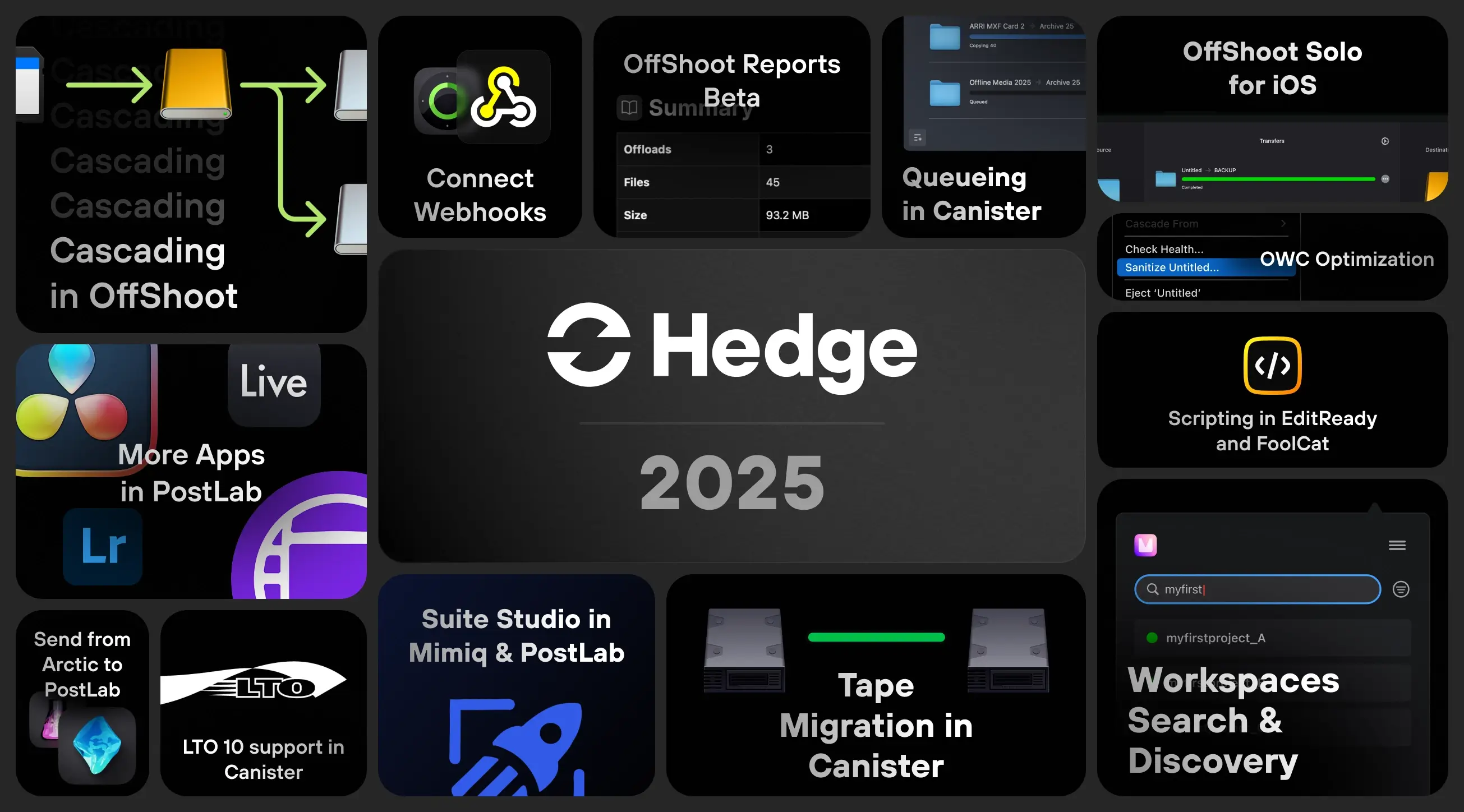
2026 is going to be a special year, celebrating 10 years of Hedge, the launch of a new app - one we already envisioned a decade ago - and much more. But before all of that, let’s look back at last year.
OffShoot
End of 2024, we embarked on a big journey to add two seminal features to OffShoot: Cascading and Reports. For those unfamiliar, Cascading is a concept where you copy to your fastest drive first, and then from there to the slower drives (or cloud). Cascading was released last spring, and I don’t think there has ever been a feature with so much feedback along the same lines - “it makes everything so much faster!”
We expected Cascading to be useful to all who work with a big RAID drive next to some shuttle drives, but it turned out that it even helped those with a stack of drives that were kind of similar. Pretty cool to hear, and thanks for telling us 😍
There’s no use in fast drives if you don’t also have fast camera cards. To ensure that, we worked with OWC to bring their Innergize technology within OffShoot. That not only saves you from having to install two apps, but also ensures your precious hardware works as well as possible with your favorite (wink wink) software. We’re not done yet with optimizing for OWC - besides offering a health check and sanitization of your cards, we’re about to release firmware updates right within OffShoot. That way, you’ll be sure all your gear is in top-notch condition before starting any production.
Much of the rest of the year was spent on Reports, with the second beta just being released. Where FoolCat gets you clip reports, OffShoot’s Reports go the distance - they allow you to combine any number of transfers into a single report, whether it’s per day, week, or for a whole production. Check it out, it’s available for everyone with a license that’s eligible for updates:
Check out the Reports Beta Track
One more thing: OffShoot Solo finally made the move to iOS. We built OffShoot Solo as a lightweight version of OffShoot aimed squarely at content creators who need to travel light, allowing you to use an iPad to offload camera cards to external SSDs.
Now that iPhone Pros are up to speed with Thunderbolt on board, we were able to do the same for iPhones. We’ve been waiting for this landslide moment, as we deemed it necessary to warrant further development of Solo, so you can see more updates coming your (mobile) way.
Mimiq
With Mimiq’s user base doubling each year, we have a firm Media Composer footing, with productions ranging from in-house educational videos to all things lightsaber. While Mimiq was already well kitted out for smaller teams, we felt that production houses with a lot going on could still use some more workflow optimizations. This year, we focused our efforts on Workspaces.
With Workspaces, you partition off a part of a drive, NAS, or cloud drive to act as if it’s a server on its own. In Avid workflow, you often want to use multiple Workspaces: one for video assets, one for FX, one for the bins, etc. As you make new ones for each production, you quickly end up with a lot of them. That’s why it’s now very easy to search for Workspaces, filter them, sort them, and hide those you don’t use.
Many teams that migrate to Mimiq have an existing server, full of Avid MediaFiles folders. Each of those ideally becomes a Workspace to make it available in Media Composer, so we’ve also added automatic discovery of those folders to make it a breeze to start working. No setup needed, it’s now literally a matter of seconds before you’re all set and ready to fire up Media Composer. Coming from SANFusion or Osiris? We’ve got your back 🙂
Also, we made it possible to decide whether a newly created Workspace should be available only to you or to the whole team. This year, we’re adding a next level to it where you only need to select a production, and all associated Workspaces will automatically load. That works across all types of storage: NAS, SAN, LucidLink, and now also Suite Studios.
As Avid becomes more of a SaaS business, its software release cycles are also becoming more predictable (and pretty stacked with big features!) As a result, we also see Media Composer teams changing their behaviour; where in the past you might need to stick to the same MC release for years, we now see much faster adoption of new MC releases. Besides the regular releases, we see more and more people on MC beta releases. That's why it’s now also possible to run Media Composer betas with Mimiq without waiting for us to explicitly allow them - if your license is eligible for support, it’s eligible for betas of Media Composer.
Canister
Our archiving workhorse, Canister, continues to soar, now shipping as the preferred software companion for all four major LTO brands. Let’s be honest - nobody woke up one day thinking “hmm, I feel like creating some LTOs today.”
All the more reason to continue to make life easier and easier for those with better things to do than babysitting archival transfers. We keep finding new ways to make the arguably most overlooked part of post-production a bit less of a chore. This year, we added three big improvements: Queuing, using multiple drives independently, and Tape Migration.
As it can take 24 hours to fill a whole LTO tape, it’s best to queue up a bunch of transfers so that Canister can churn through your jobs while you’re busy doing something else. On top of that, for those with two or more LTO drives, you can now use them independently - maybe have one archiving one client’s data, and the other your own, or use one for retrieval while the other’s busy archiving last week’s work. Total freedom 🙂
With a shelf life of 30 years, many people don’t realize that while their tapes may not be at risk of breaking, their drives are. Electronics just don’t have a huge lifespan, as many LTO-5 and LTO-6 users have already experienced. If you have a sizeable archive, it makes sense to migrate your old tapes once or twice per decade. The good news is that you’ll need fewer tapes; one LTO-9 tape holds the same amount as 12 LTO-5 tapes. The bad news is that if you have to do that manually, it’s a huge drag. So, we’re adding Tape Migration to Canister. First made available on Windows, we’re looking at doing the macOS counterpart this year.
Read more about Tape Migration
Finally, this year was a good example of why it matters a lot to have your house in good order when working with LTO. With macOS 26 Tahoe’s release, many found themselves in a bind; they suddenly no longer had a working archival setup if they didn’t update everything related to LTO as well: Canister, LTFS, and FUSE. LTO requires an intricate web of dependencies, and again, Canister’s Preflight Checks made life manageable.
We expect Preflight Checks to become even more important as HP has seemingly stopped releasing updates for LTFS, and IBM announced it would stop supporting LTFS on Windows, only to backpedal on that decision. IBM, HP, and Quantum are committed to LTO-10, so we don’t expect any issues for the foreseeable future. Nonetheless, we’re already working on an alternative that will see the light of day later in 2026. This will remove much of the complexity of using LTFS, and we’re looking forward to showing you what we’ve built.
EditReady
2025 saw a lot of new camera news! As expected, when Nikon acquired RED back in 2024, we finally saw the Nikon and RED codecs growing closer with the release of R3D v9. Nikon’s ZR supports recording in R3D NE, a new flavour that inherits N-RAW's compression. As a result, N-RAW is now supported in EditReady as well. And, we added DJI D-log and D-Gamut color spaces ✨
ARRI also released a new codec, built for their Alexa 35 eXtreme, which will undoubtedly be for future models too. ARRICORE, the successor to ARRIRAW, halves disk space requirements. With 17 stops and high-framerate recording modes, we see more and more productions opting for high fps, which is a nice creative development.
This year, we did a bunch of work on Avid workflows. People new to Media Composer easily get lost in the woods between DNxHD, DNxHR, OpAtom, and Op1A, so we embarked on a journey that took waaaaaay longer than expected: to fully support all those flavours, in all their endless versions. That should make the history lesson on why Media Composer works the way it does a bit less mandatory, we hope.
Read more about Avid workflows
Besides the usual updates (Sony BURANO v2, BRAW v4.6), we also found time to improve other parts of the workflow. Most notably, EditReady Pro now has the same Scripting capabilities that OffShoot’s had for a decade, which opens up many possibilities. We’ll be posting some of those workflows on our blog for inspiration.
If there’s one thing we’d love to see, it is camera vendors using their CAPS LOCK a bit less in the coming year. The amount of BURANO, VENICE, CODEX, ARRICORE, and RED is becoming a bit TOO MUCH for our left-hand pinkies…
FoolCat
Joined to EditReady’s hip, FoolCat obviously received all the same codec updates as mentioned above, and also the same Scripting engine for truly tailored workflows. To make life easier, we also added automatic conversion of RAW footage to Rec.709, because looking at Log is so 2009.
At the same time, we’ve been busy expanding our metadata detection, one example being adding shutter angles for ARRI. As part of a larger undertaking, we’re expanding the amount of metadata being detected a lot more in the coming year - if you’re in need of a specific type, please let us know; we prefer to show metadata that’s useful instead of just including a 1000 data types because we can.
Also, the HTML and PDF reports got a fresh lick of paint. Last year, we learned that a significant number of FoolCat users aren’t shooting in RAW, and that got us thinking. As it’s all things RAW that make maintaining apps like FoolCat and EditReady expensive, we decided to split FoolCat into a standard and Pro version; that makes FoolCat a lot more accessible for all of you who do not need RAW support.
Read more about the new Pro tier
PostLab
As promised last year, this year was all about adding more apps to PostLab: DaVinci Resolve, Media Composer, Ableton Live, Lightroom Classic, Excel, PowerPoint, and PDFs all made the cut. We also wanted to add a lot of so-called creature comforts: faster loading, duplication, document statuses, and faster syncing. Especially that last one makes a big difference when connectivity is less than ideal.
Read more about PostLab and Media Composer
On the storage side, we added support for Suite Studios and Synology Drive, expanding the options for cloud storage. By the way, if you’re using Dropbox, check out Maestral - it's a lightweight Dropbox client that is much better at syncing your files. Highly recommended!
That’s it…
for 2025! We’ll be back with more news on 2026 soon 🙂