
Getting your metadata into Media Composer
A couple of months ago, we served up this little blog as a primer for understanding and working with media in Avid Media Composer. Although reading time exceeded at least two cups of coffee, there’s always something more to say (and learn). So building on this, let’s talk about metadata.
As production pipelines grow, it’s essential that everyone knows what kind of footage is in front of them. That information is available as metadata like scene, take, reel, timecode, camera settings, LUTs, clip names, comments, and custom fields like ACES/CDL or ShotID.
Metadata is not the whole story; for example, creating a multicam clip with several audio tracks can be quite a hassle if you have to manually enter timecode for clip syncing. Or, imagine a colorist having to guess which clip is Scene 23 - Take 05.
The answer to all of the above: an ALE file.
ALEs
Short for Avid Log Exchange, this text-based file carries all metadata from your Original Camera Footage (OCF) across different post-production systems, from assistent editor to final delivery.
When creating proxies, these ALE files tend to disappear. Even if metadata is neatly written into a proxy or mezzanine like a DNxHR clip, Media Composer won’t process it unless it’s also made available through an ALE.
Without an ALE, the editor or colorist loses essential clip information; they’ll have to add it manually, which is a massive pain. As a DIT you typically don’t want to spend time re-adding this information either.
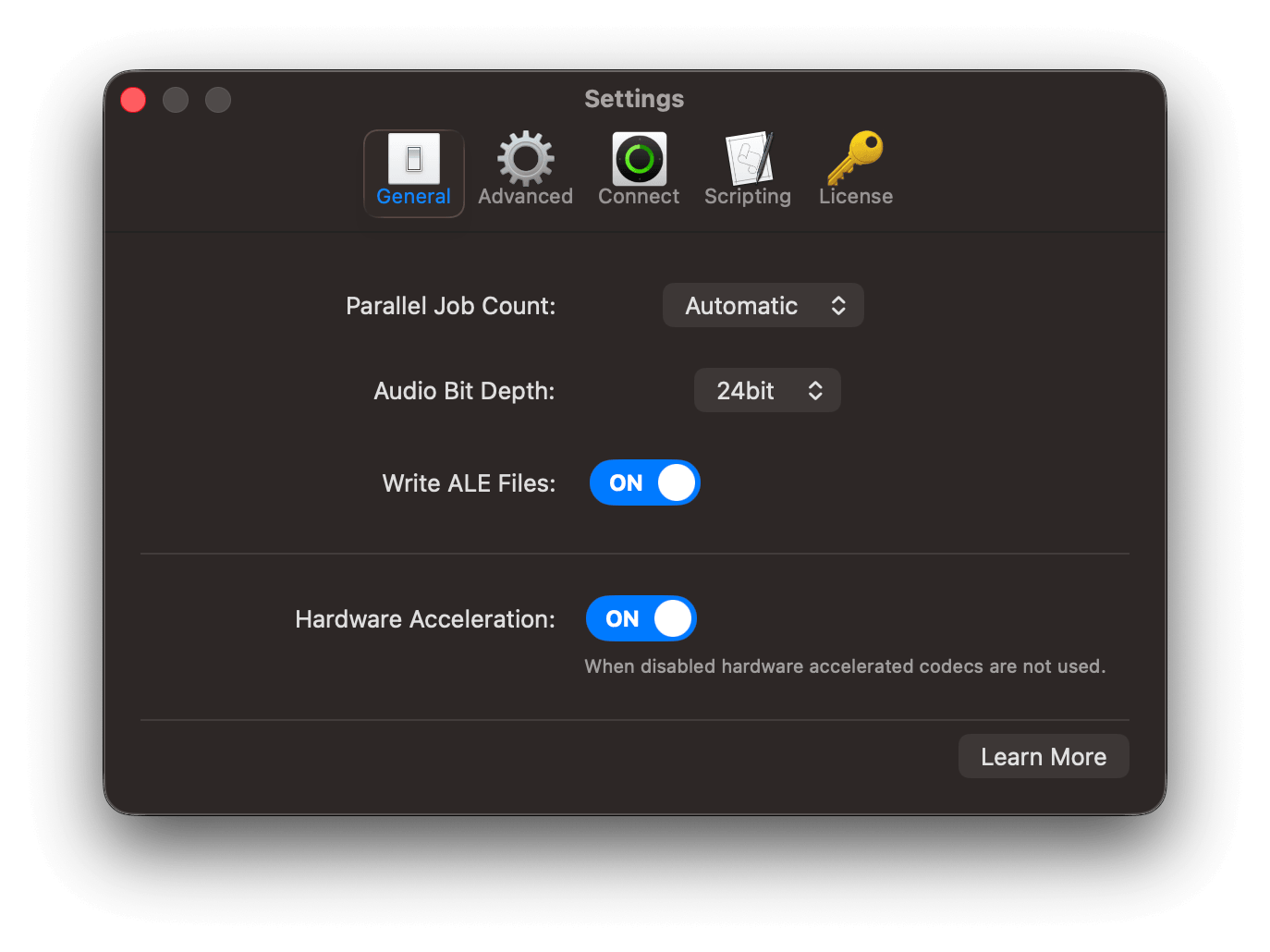
With EditReady 26.1, that’s a thing of the past: you can now choose to create ALEs when transcoding. How to do so is very straightforward - you just go to the Settings and enable Write ALE Files.
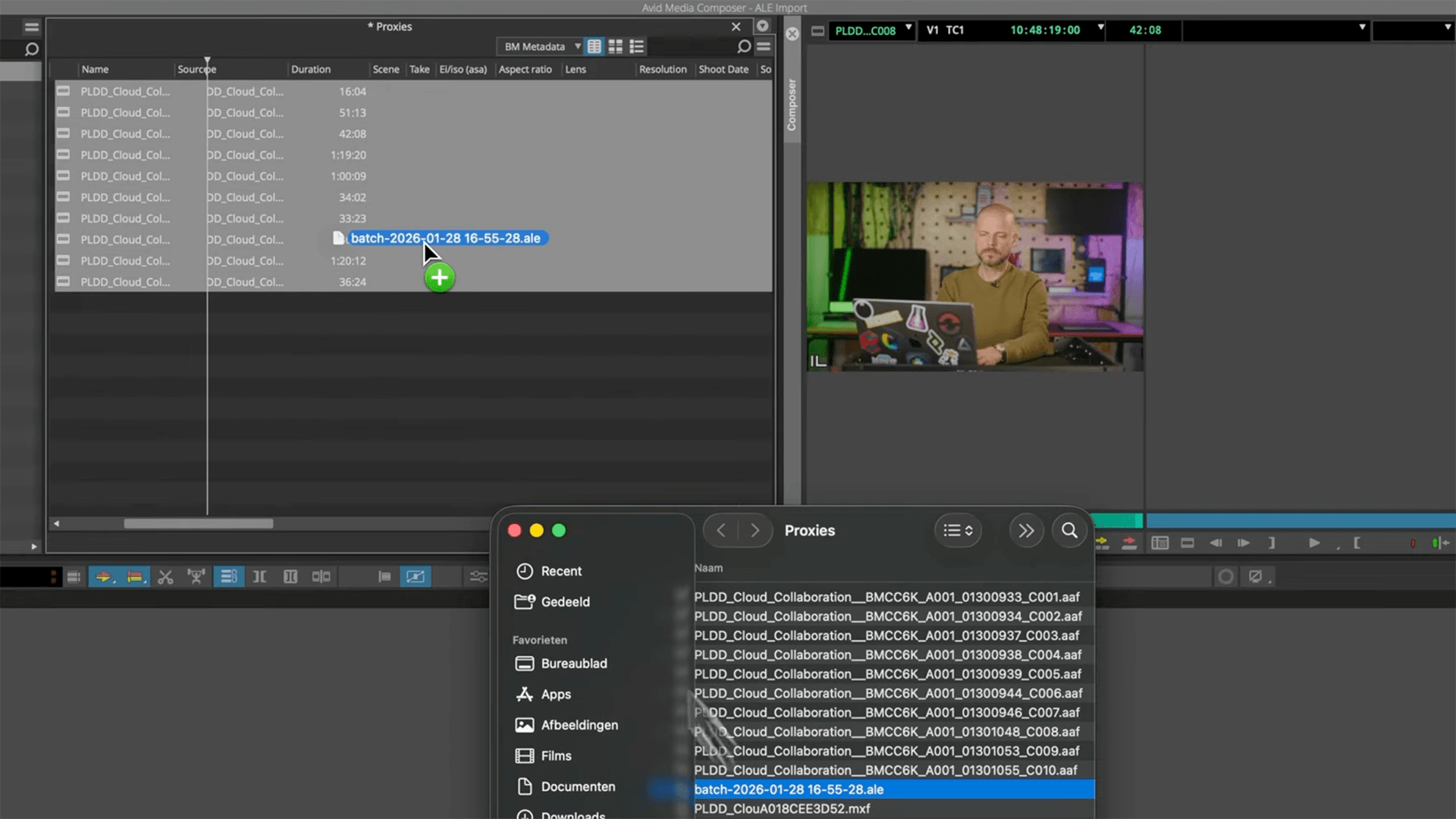
Now you can run your transcodes, import the proxies or mezzanine clips into Media Composer, and then import your ALE file. You can now see your metadata in your bins, ready for editorial:
Visual learner? Here’s the video 👇
EditReady 26.1 is available right now as an in-app download and is free for all licenses eligible for updates and support. Not sure? Check your license in the License Manager: