
Multiple Team Bundles, Pruning, Freeze, and Autosave

Your Team Bundles are growing. More projects, more people, more versions. PostLab 26.2 brings five features to keep them fast and nimble, and a few have been on your wishlists for ages.
That growth is by design. PostLab never throws away what you save. Every save becomes a version you can go back to, and discarded changes end up in the Attic. Retain everything, that's the spirit.
The flip side: on a 10-episode series with a full team, that adds up fast, and moving more data over the same connection to the same storage takes longer. As of 26.2, you have options.
Multiple Team Bundles
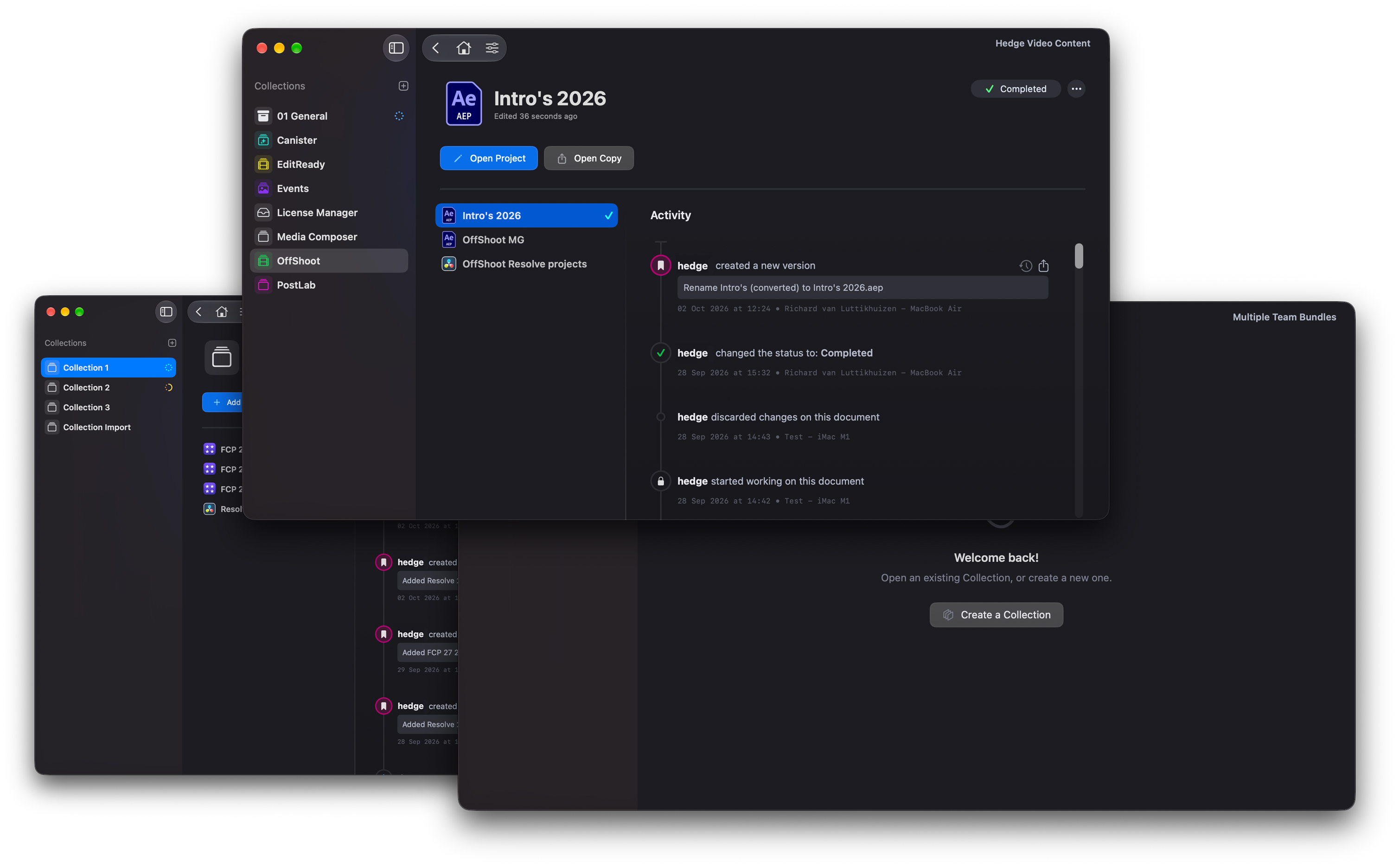
This one's been a long time coming. You can now open more than one Team Bundle at the same time.
Until now, switching projects meant saving and closing your Library, quitting the Team Bundle, opening another one, and waiting for the next Library to load. With big Libraries, that takes a while. Now you open both and switch in seconds, or grab older assets from last year's production for the new one.
It also means you no longer have to put everything in one Team Bundle just to keep it in reach. Split them however suits you: by year, by client, or by production. Smaller Team Bundles, faster loads.
Pruning
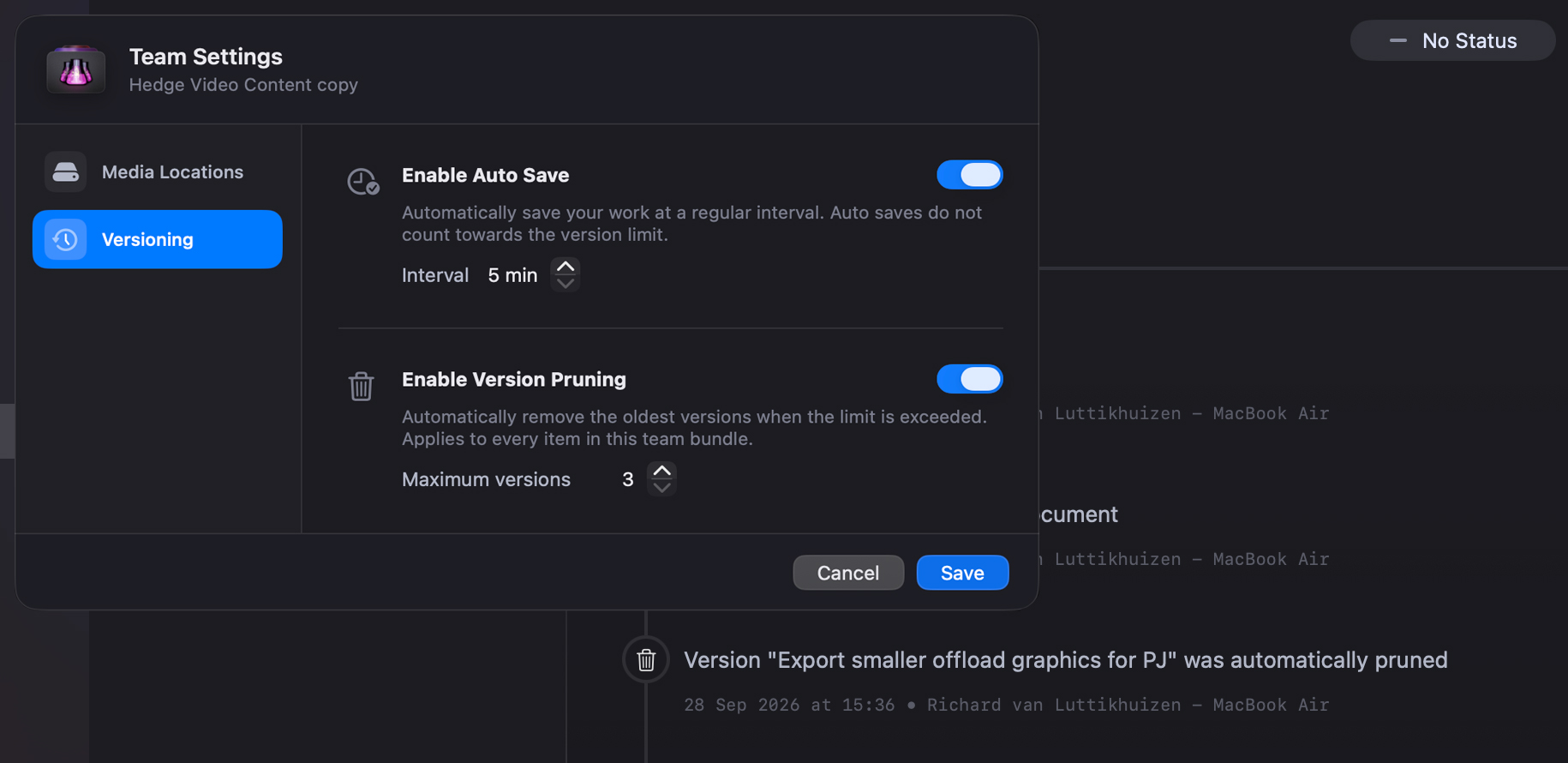
Pruning caps how many versions a Library or Project keeps. Set the number, and PostLab removes everything older. From then on, each new save drops the oldest version, so the Team Bundle stays the size you chose.
For now, pruning works per Library or Project. Pruning a whole Team Bundle at once is quite the nuclear option, though it could be handy when you archive a finished production. If that sounds useful, let us know.
Pro tip: you can also trim a large Team Bundle by clearing the Attic. That removes every version created when someone discarded a session.
Freeze
Freeze is another way to keep your Team Bundle in check. It works on Final Cut Pro Events, Avid Bin Folders, and DaVinci Resolve Projects, and it's part of PostLab Pro.
Freezing an item locks it in time. Nobody on the team can change it until someone deliberately unfreezes it. And because a frozen item doesn't change, PostLab doesn't create new versions of it.
Why would you want that? Two reasons.
First, size. When you check an FCP Library in, PostLab versions every Event inside it, because opening a Library or Event counts as a change. Even untouched Events get a new version every time. Freeze the ones that are done, and they stop adding to your Team Bundle.
Second, control. Sometimes an editor wants to keep an Event off-limits, because it's theirs to work on or because its content is final. Until now, the only way was to keep the whole Library checked out, which locks everyone else out of it. Freeze just that Event, and the rest of the Library stays open to the team ❄️
Autosave
PostLab can now save for you in the background while a document is open, for those times you forget to commit your changes to the Team Bundle. Turn it on in Team Settings. It saves once an hour by default, and you can change the interval.
Autosaves add to your Team Bundle size, so don't set the interval too short. The good news: when you prune, autosaves tied to the main version are pruned with it. PostLab cleans up after itself.
Shared Media Locations
PostLab Classic users will recognise this one: shared media locations are back.
PostLab already saves you from relinking in FCP. It tracks each team member's own media links, so you link once and never again, even when someone moves their media.
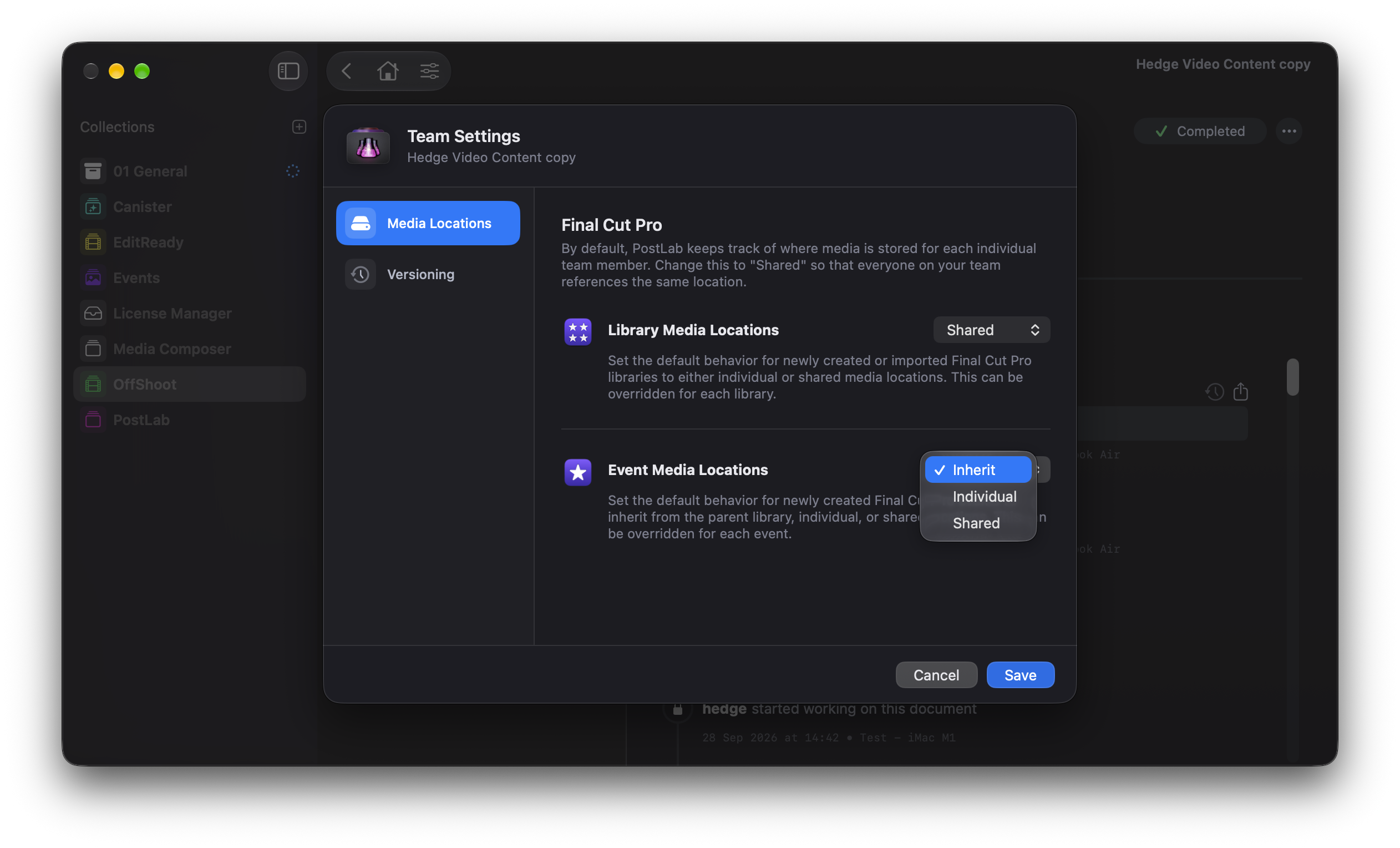
That's great, until you want everyone pointing at the same media. So you can now set an FCP Library to use a shared media location, by default or per Library. When one person changes the media location, it changes for everyone.
With PostLab Pro, you can set this per Event too. An Event can use individual media locations, a shared one, or inherit the setting from its Library. Handy for reusable assets, like logos or music, that live in one shared place.
Roll Credits
These features exist because you kept asking. Thanks to Nacho, Mathieu, Declan, Trevor, Josh, Alexandros, James, Garrett, Matthew, Sam, Knut, Shiela, Sorn, Romain, Jeff, Alex, Jakub, Matthieu, Felipe, John, Fabrice, and everyone else who asked for them 🙏
PostLab 26.2 upgrades your Team Bundles. Make sure everyone on your team knows before anyone installs it.
PostLab 26.2 is available as an in-app update, or download a fresh installer. Questions? Just reach out.